
Family Tree Maker
I wanted to put together a family tree for my family and found myself on Ancestry.com. It does a lot, but it also really wants your money. The subscription is $30/month, and the whole experience feels designed to funnel you toward paying for things. I just wanted to build a tree, share it with my family, and not get sold to.
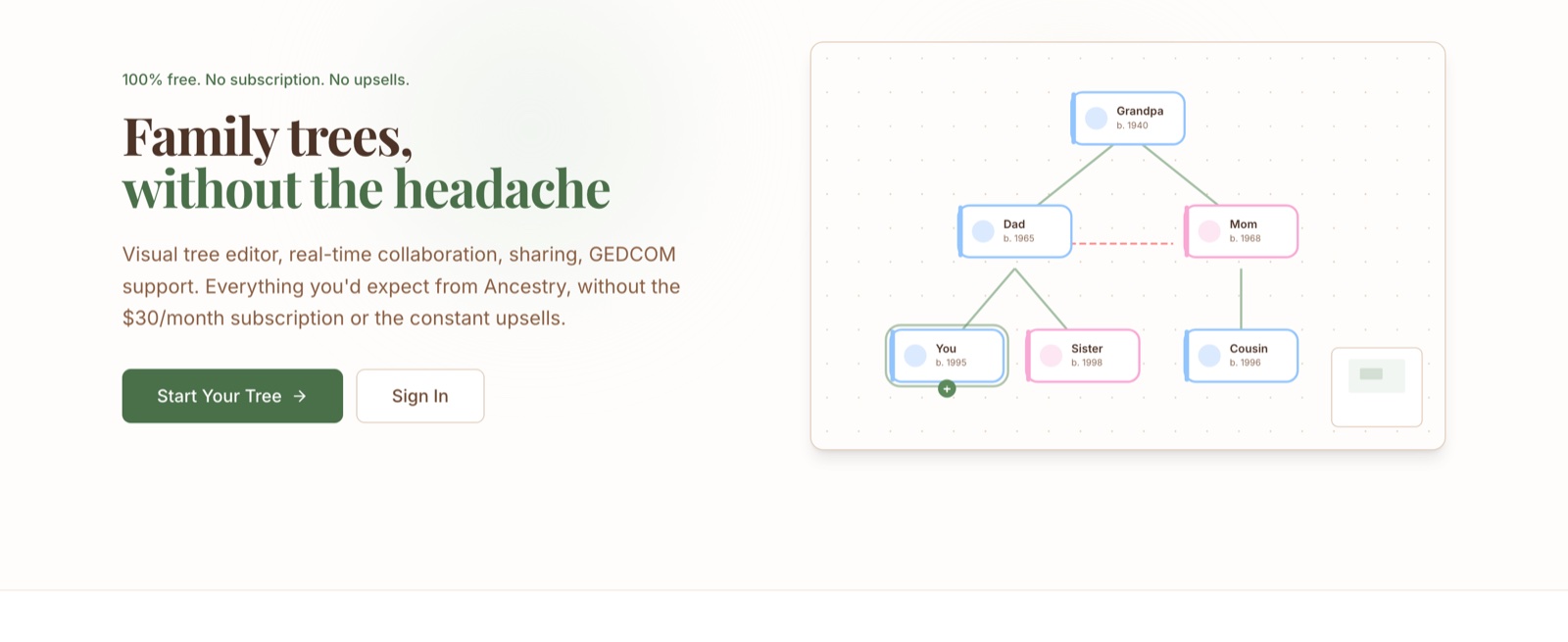
So I built Family Tree Maker. It does most of what Ancestry does for tree building: visual editor, collaboration, sharing, GEDCOM import/export. But it's completely free, with no subscription, no upsells, and no account required to view shared trees.
What it does
You sign in with email or Google, create a tree, and start adding people. The editor is a drag-and-drop canvas where you can pan and zoom around. Hover over any person and you'll see little + buttons to add a child, spouse, or parent directly from the node. Right-click for more options.
There are two layout modes. Auto mode keeps the tree tidy using a layout algorithm that repositions everyone when things change. Manual mode lets you drag people wherever you want and saves those positions. You can switch between them without losing your manual arrangement.
Each person has a side panel where you edit their details: name, dates, places, notes, photo. Everything auto-saves as you type. The place fields have autocomplete powered by OpenStreetMap, so you're not guessing at city names.
Other views
There's a timeline view that lays out births and deaths chronologically, and a map view that plots everyone's locations on a map. Both are good for spotting things you'd miss staring at boxes and lines.
There's also an activity log that tracks who changed what. Useful if you're collaborating with family members.
Sharing and collaboration
You can invite collaborators who can edit the tree alongside you. Changes sync in real time across devices.
For read-only sharing, you generate a secret link. Anyone with the link can view the tree without signing in. When you paste that link into iMessage or Slack, it shows a preview card with the tree's name and how many people are in it.
GEDCOM
If you have data in another genealogy tool, you can import a GEDCOM file and it'll pull in all the people and relationships. Export works too, so you're not locked in.
How it's built
React with TypeScript, Vite, Tailwind. Firebase for auth, database, storage, and hosting. The canvas is React Flow with dagre for the auto-layout algorithm. Map uses Leaflet with OpenStreetMap tiles. Location autocomplete hits the Nominatim API. The whole thing was built with Claude Code over one session.